本文整理自我 2023 年在 HackMD 上的實作筆記,指令與版本以當時環境為準(Ubuntu 22.04、srsRAN 4G / Project、Open5GS)。
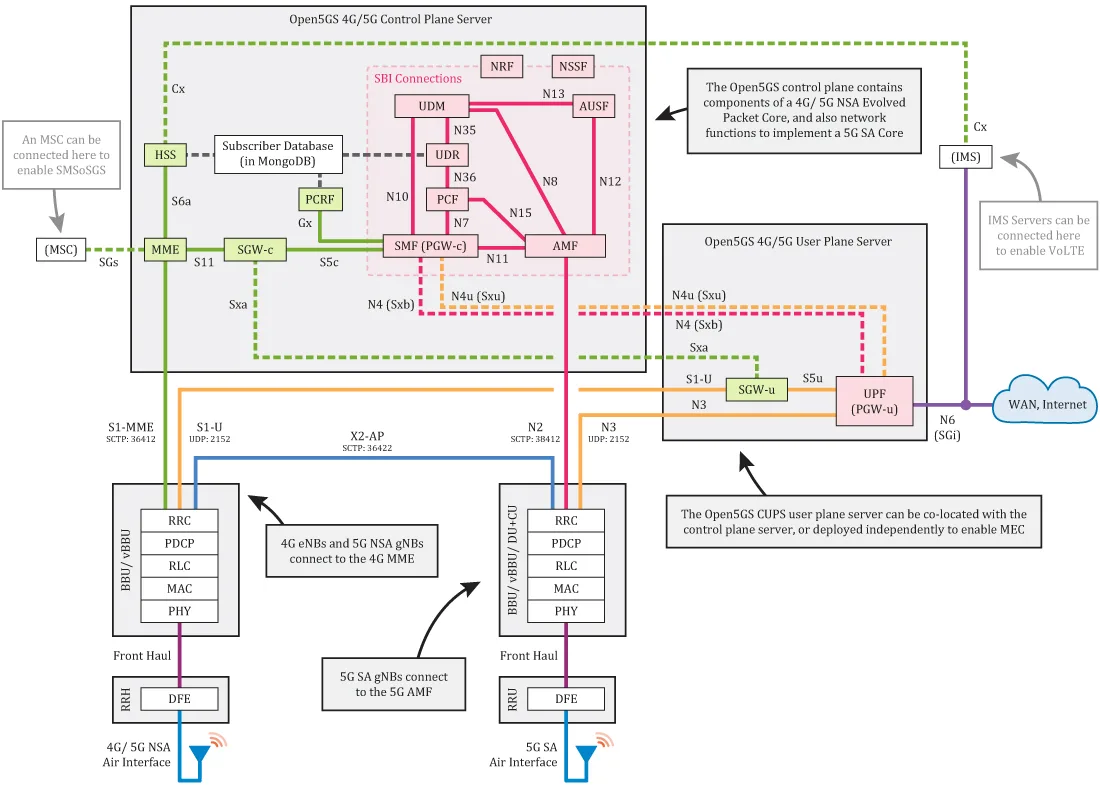
Refer from open5gs website: https://open5gs.org/
1. Getting MongoDB
MongoDB is used as database for NRF/PCF/UDR and PCRF/HSS.
1-1. Import the public key used by the package management system.
$ sudo apt update
$ sudo apt install curl
$ sudo apt install gnupg
$ curl -fsSL https://pgp.mongodb.com/server-6.0.asc | sudo gpg -o /usr/share/keyrings/mongodb-server-6.0.gpg --dearmor
**On ubuntu 22.04 (Jammy)
$ echo "deb [ arch=amd64,arm64 signed-by=/usr/share/keyrings/mongodb-server-6.0.gpg] https://repo.mongodb.org/apt/ubuntu jammy/mongodb-org/6.0 multiverse" | sudo tee /etc/apt/sources.list.d/mongodb-org-6.0.list1-2. Install the MongoDB packages.
$ sudo apt update
$ sudo apt install -y mongodb-org
$ sudo systemctl start mongod (if '/usr/bin/mongod' is not running)
$ sudo systemctl enable mongod (ensure to automatically start it on system boot)
2. Setting up TUN device
Not persistent after rebooting
Create the TUN device with the interface name ogstun.
sudo ip tuntap add name ogstun mode tun
sudo ip addr add 10.45.0.1/16 dev ogstun
sudo ip addr add 2001:db8:cafe::1/48 dev ogstun
sudo ip link set ogstun up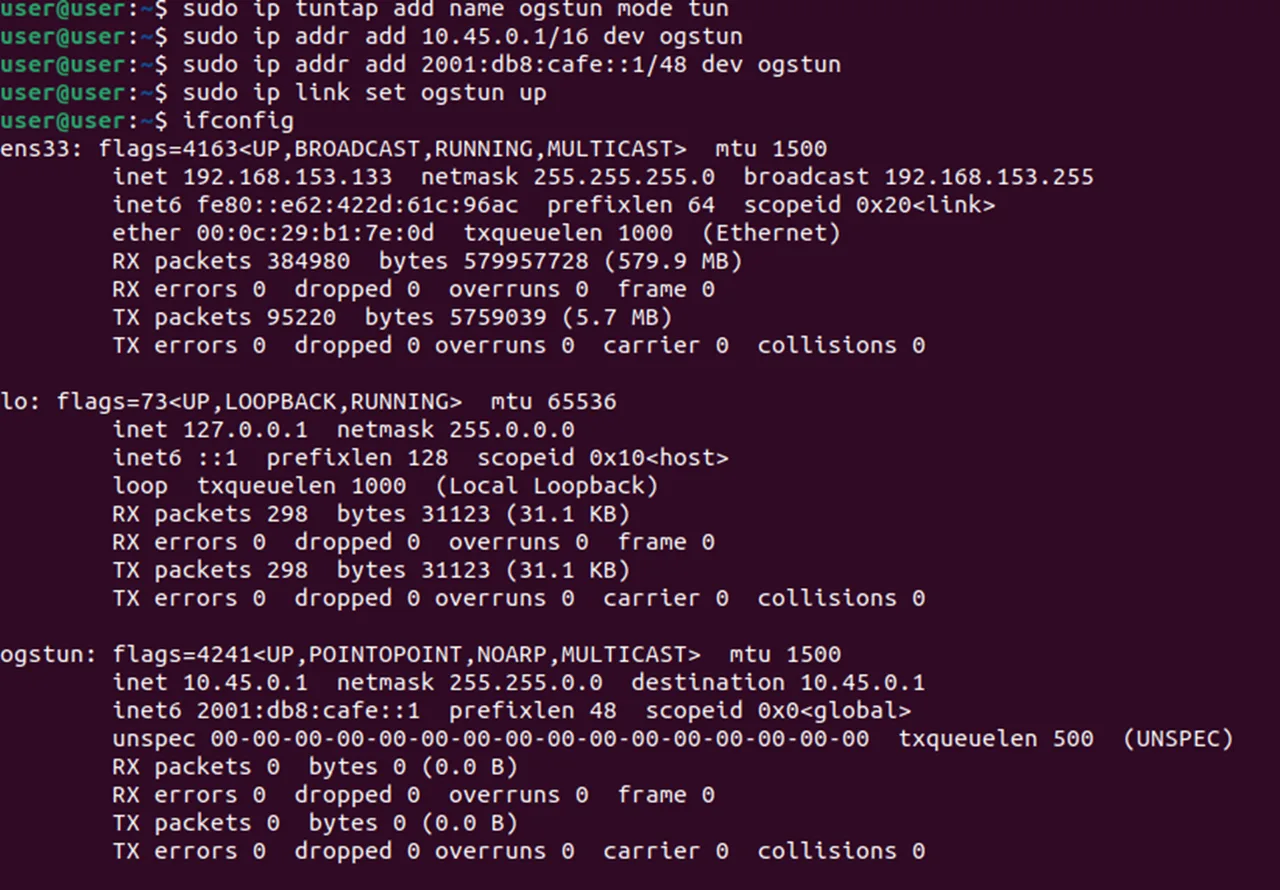
3. Building Open5GS
3-1.Install the dependencies for building the source code.
$ sudo apt install python3-pip python3-setuptools python3-wheel ninja-build build-essential flex bison git cmake libsctp-dev libgnutls28-dev libgcrypt-dev libssl-dev libidn11-dev libmongoc-dev libbson-dev libyaml-dev libnghttp2-dev libmicrohttpd-dev libcurl4-gnutls-dev libnghttp2-dev libtins-dev libtalloc-dev meson3-2.Git clone.
git clone https://github.com/open5gs/open5gs3-3. To compile with meson:
cd open5gs
meson build --prefix=`pwd`/install
ninja -C build
3-4.Check whether the compilation is correct.
$ ./build/tests/attach/attach ## EPC Only
$ ./build/tests/registration/registration ## 5G Core Only
3-5.Run all test programs as below.
$ cd build
$ meson test -v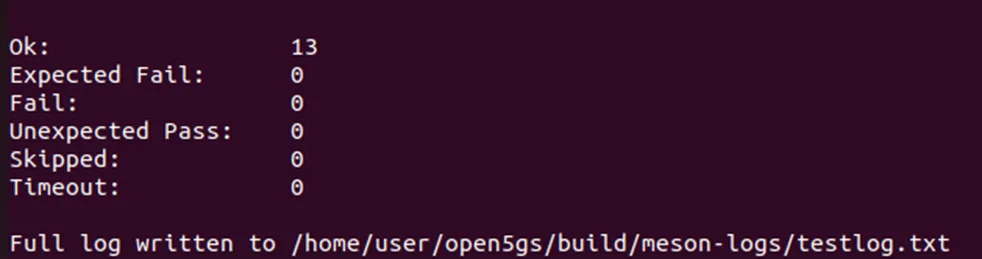
3-6.Perform the installation process.
$ cd build
$ ninja install
$ cd ../
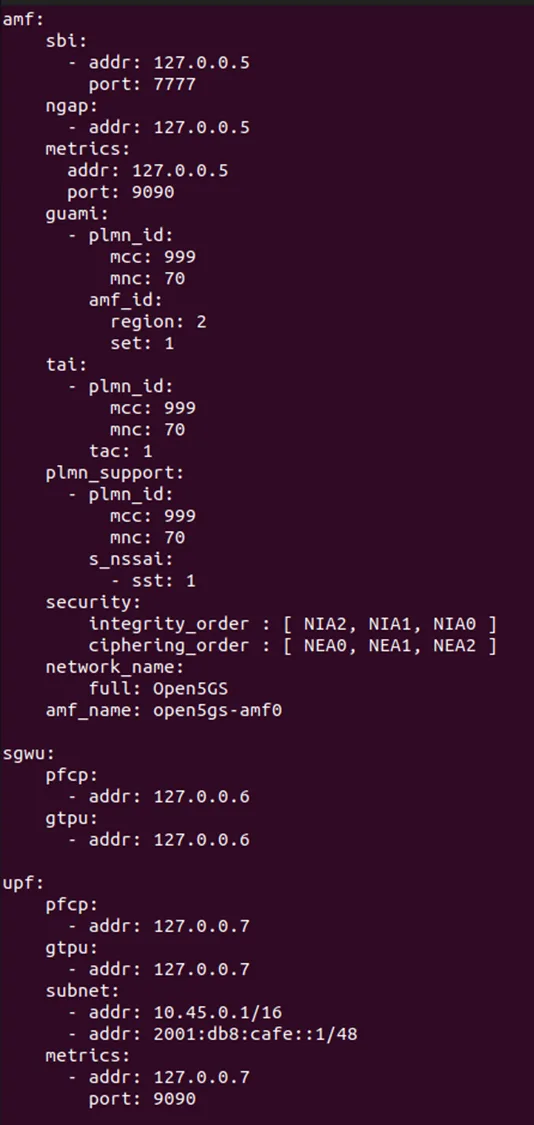
4. Configure Open5GS
4-1. Modify in open5gs/install/etc/open5gs/
$ diff -u /etc/open5gs/amf.yaml.old /etc/open5gs/amf.yaml
--- amf.yaml    2020-09-05 20:52:28.652234967 -0400
+++ amf.yaml.new    2020-09-05 20:55:07.453114885 -0400
@@ -293,26 +293,26 @@ amf:
       - addr: 127.0.0.5
         port: 7777
     ngap:
-      - addr: 127.0.0.5
+      - addr: 10.10.0.5
     metrics:
         addr: 127.0.0.5
         port: 9090
     guami:
       - plmn_id:
-          mcc: 999
-          mnc: 70
+          mcc: 001
+          mnc: 01
         amf_id:
           region: 2
           set: 1
     tai:
       - plmn_id:
-          mcc: 999
-          mnc: 70
+          mcc: 001
+          mnc: 01
         tac: 1
     plmn_support:
       - plmn_id:
-          mcc: 999
-          mnc: 70
+          mcc: 001
+          mnc: 01
         s_nssai:
           - sst: 1
     security:
$ diff -u /etc/open5gs/upf.yaml.old /etc/open5gs/upf.yaml
--- upf.yaml 2020-09-05 20:52:28.652234967 -0400
+++ upf.yaml.new 2020-09-05 20:52:55.279052142 -0400
@@ -168,7 +168,7 @@ upf:
pfcp:
- addr: 127.0.0.7
gtpu:
- - addr: 127.0.0.7
+ - addr: 10.11.0.7
subnet:
- addr: 10.45.0.1/16
- addr: 2001:db8:cafe::1/484-2. Modify in open5gs/build/configs/sample.yaml
5. Adding a route for the UE
In order to bridge between the PGWU/UPF and WAN (Internet), you must enable IP forwarding and add a NAT rule to your IP Tables.
5-1. To enable forwarding and add the NAT rule, enter
### Enable IPv4/IPv6 Forwarding
$ sudo sysctl -w net.ipv4.ip_forward=1
$ sudo sysctl -w net.ipv6.conf.all.forwarding=1

### Add NAT Rule
$ sudo iptables -t nat -A POSTROUTING -s 10.45.0.0/16 ! -o ogstun -j MASQUERADE
$ sudo ip6tables -t nat -A POSTROUTING -s 2001:db8:cafe::/48 ! -o ogstun -j MASQUERADE
5-2. Configure the firewall correctly. Some operating systems (Ubuntu) by default enable firewall rules to block traffic.
$ sudo ufw status
Status: active
$ sudo ufw disable
Firewall stopped and disabled on system startup
$ sudo ufw status
Status: inactive
5-3. Optionally, you may consider the settings below for security purposes.
### Ensure that the packets in the `INPUT` chain to the `ogstun` interface are accepted
$ sudo iptables -I INPUT -i ogstun -j ACCEPT

### Prevent UE's from connecting to the host on which UPF is running
$ sudo iptables -I INPUT -s 10.45.0.0/16 -j DROP
$ sudo ip6tables -I INPUT -s 2001:db8:cafe::/48 -j DROP

### If your core network runs over multiple hosts, you probably want to block
### UE originating traffic from accessing other network functions.
### Replace x.x.x.x/y with the VNFs IP/subnet
$ sudo iptables -I FORWARD -s 10.45.0.0/16 -d x.x.x.x/y -j DROP
6. Register Subscriber Information
6-1. Building the WebUI of Open5GS
6-1-1. Node.js is required to build WebUI of Open5GS
$ sudo apt install curl
$ curl -fsSL https://deb.nodesource.com/setup_18.x | sudo -E bash -
$ sudo apt install nodejs
6-1-2. Install the dependencies to run WebUI
$ cd webui
$ npm ci
6-1-3. The WebUI runs as an npm script.
$ npm run dev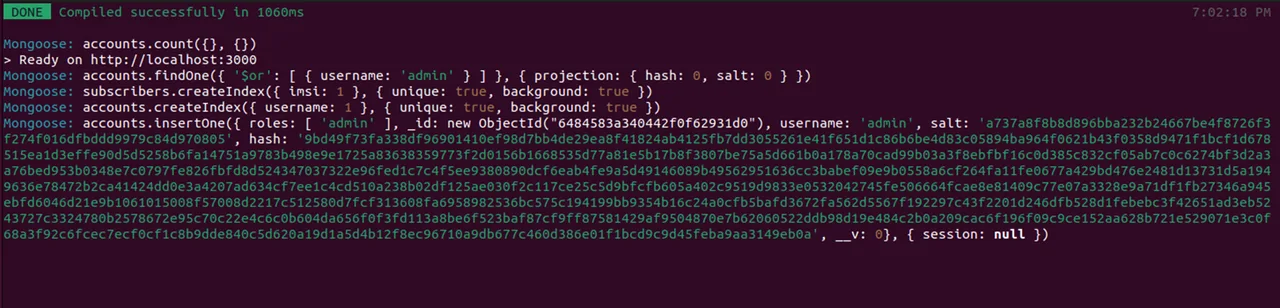
# Server listening can be changed by setting the environment variable HOSTNAME or PORT as below.
$ HOSTNAME=192.168.0.11 npm run dev
$ PORT=7777 npm run dev
6-2. Register Subscriber
6-2-1. Connect to http://127.0.0.1:3000 and login with admin account.
=> Username : admin
=> Password : 1423
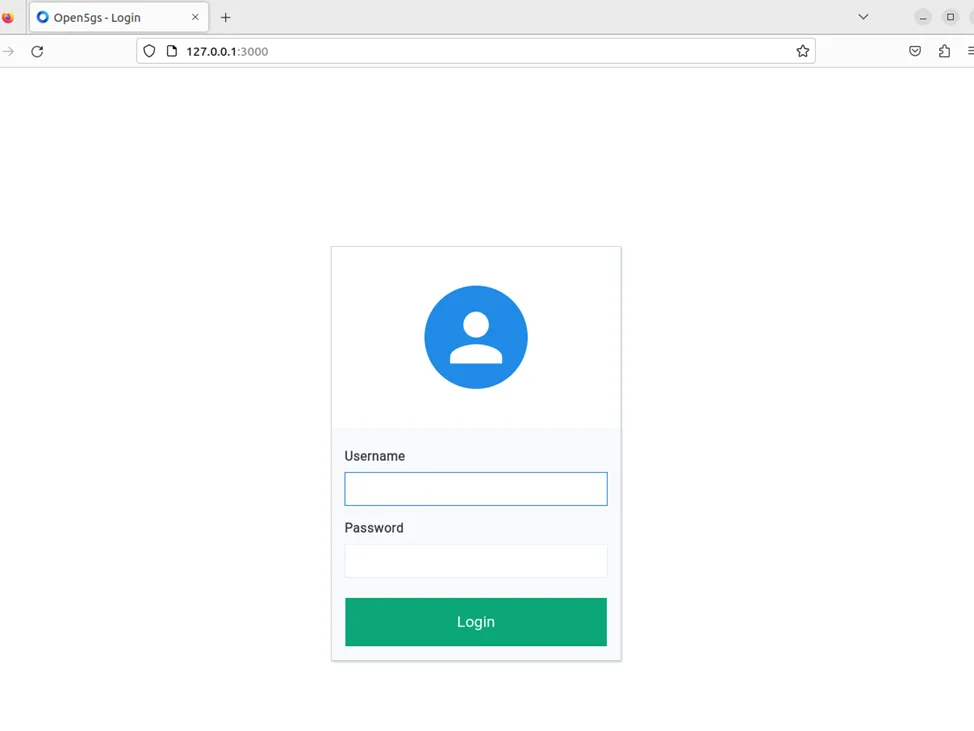
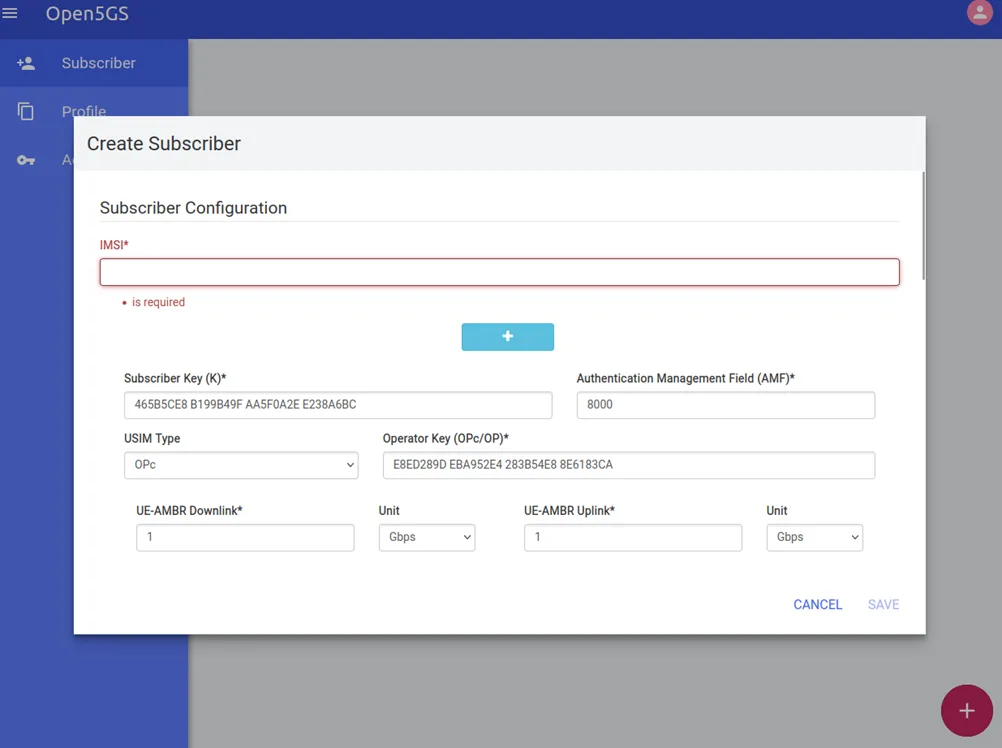
6-2-2. To add subscriber information, you can do WebUI operations in the following order:
1. Go to Subscriber Menu.
2. Click + Button to add a new subscriber.
3. Fill the IMSI, security context(K, OPc, AMF), and APN of the subscriber.
4. Click SAVE Button
7. Run Open5GS
1. Config file in open5gs/install/etc/open5gs
./install/bin/open5gs-nrfd
./install/bin/open5gs-scpd
./install/bin/open5gs-amfd
./install/bin/open5gs-smfd
./install/bin/open5gs-upfd
./install/bin/open5gs-ausfd
./install/bin/open5gs-udmd
./install/bin/open5gs-pcfd
./install/bin/open5gs-nssfd
./install/bin/open5gs-bsfd
./install/bin/open5gs-udrd
./install/bin/open5gs-mmed
./install/bin/open5gs-sgwcd
./install/bin/open5gs-sgwud
./install/bin/open5gs-hssd
./install/bin/open5gs-pcrfd
2. Config file in open5gs/build/configs
./build/tests/app/5gc